Documentation
Build with OniPin
Install the chat, connect AIs via HTTP or MCP. Examples use sample pin onp_tu_pin.
Wallet · ONI asset
ONI asset documentation
What ONI is, ledger, converts to Onicredit / sales tokens, withdraw, and examples.
Wallet 2 AI · Onicredit
Onicredit (ONI Credi)
Spend balance for people and AI agents. Top-ups, limits, ONI convert, pin-to-pin transfer, and a receipt with the Base hash.
Explorer
OniScan documentation
How to search transfers, addresses, and ONI ecosystem txs.
Open
Enter OniScan
Public explorer at onnivers.store/scan
What you can use today (MCP, CLI, SDK, HTTP)
Real production platform. You only need the business pin.
- MCP — https://onnivers.store/mcp (Cursor, Claude)
- CLI — npm install -g onipin-cli
- JS SDK — npm install onipin-js
- React — npm install onipin-react (OniChat)
- Python SDK — pip install onipin
- HTTP /v1 + OpenAPI — https://onnivers.store/v1/openapi.yaml
- Widget — /widget.js
{
  "mcpServers": {
    "onipin": { "url": "https://onnivers.store/mcp" }
  }
}
Get started with OniPin
- Sign up for free and confirm your email.
- In MY AI, configure business info, FAQs, and catalog.
- Share https://onnivers.store/c/onp_tu_pin or install the widget.
- In CHATS, take over whenever you want.
Install chat on your website
<script src="https://onnivers.store/widget.js" data-pin="onp_tu_pin"></script>React (official package)
npm install onipin-react

import { OniChat } from "onipin-react";

<OniChat pin="onp_tu_pin" />
<OniChat pin="onp_tu_pin" mode="iframe" height={640} />
HTTP /v1 protocol
/v1/ping/{pin} Business discovery.
curl https://onnivers.store/v1/ping/onp_tu_pin/v1/chat/{pin} Send a message; returns conversationId and reply.
curl -X POST https://onnivers.store/v1/chat/onp_tu_pin \
  -H "Content-Type: application/json" \
  -H "X-Caller-Type: ai-agent" \
-d '{ "message": "What are your hours?" }'/v1/catalog/{pin} Public catalog of products and services.
Discovery and Intent Spec (AI ↔ business)
Guide for assistants: How an AI decides to use OniPin
<meta name="onipin" content="onp_tu_pin">curl "https://onnivers.store/.well-known/onipin"curl "https://onnivers.store/.well-known/onipin.json?pin=onp_tu_pin"curl "https://onnivers.store/v1/discover?url=https://example.com"curl -X POST https://onnivers.store/v1/handshake/onp_tu_pin \
-H "Content-Type: application/json" \
-d '{"agent":{"name":"MyBot"},"intent":"appointment.create"}'Intent Specification 0.2
How an AI decides to use OniPin
The user says "book an appointment" — not "use OniPin". This spec defines the flow any assistant can implement.
5-step flow
- Discover — Does the business publish OniPin? (/v1/discover, onipin meta, llms.txt)
- Handshake — Announce agent + intent (POST /v1/handshake/{pin})
- Send message — POST /v1/chat/{pin}
- Receive reply — Text + conversationId
- Action — Booking/order in Agenda (data.bookingId / orderId)
Discover from URL
curl "https://onnivers.store/v1/discover?url=https://onnivers.store/probar-chat/"Handshake
curl -X POST https://onnivers.store/v1/handshake/onp_vuzadcjv3xw7 \
  -H "Content-Type: application/json" \
  -d '{"agent":{"name":"MyBot","version":"1.0"},"intent":"appointment.create"}'
Chat with intent
curl -X POST https://onnivers.store/v1/chat/onp_vuzadcjv3xw7 \
  -H "Content-Type: application/json" \
  -H "X-Caller-Type: ai-agent" \
  -d '{"message":"I want a demo on Friday","agent":{"name":"MyBot"},"intent":"appointment.create"}'
Intents
business.chat — general conversationappointment.create — appointment / demoorder.create — orderproduct.price — pricingcatalog.browse — catalogpayment.info — payment
Demo pin:onp_vuzadcjv3xw7
MCP server
Endpoint https://onnivers.store/mcp — Endpoint — uses POST (Streamable HTTP). Not a web page. Hermes uses mcp_servers. Cursor and Claude use mcpServers.
discover_from_url, business_lookup, catalog_list, chat_send, chat_read, booking_create, order_create, buyer_whoami, purchase_with_credits, transfer_onicredit, payment_methods_list
agentes.md · llms.txt · .well-known/onipin.json
{ "mcpServers": { "onipin": { "url": "https://onnivers.store/mcp" } } }Hermes Agent
Hermes uses mcp_servers for the live tools and a separate public skill for the procedure. Do not put ona_, ont_, or mct_ keys in the page, GitHub, or SKILL.md.
- MCP: https://onnivers.store/mcp
- Skill: https://onnivers.store/skills/onipin-onnivers/SKILL.md
- Docs: https://onnivers.store/docs
mcp_servers:
  onipin:
    url: https://onnivers.store/mcp
    headers:
      X-Api-Key: "${ONIPIN_AGENT_KEY}"
    timeout: 120
    connect_timeout: 60
/skills install https://onnivers.store/skills/onipin-onnivers/SKILL.md --name onipin-onnivers- Buy: buyer_whoami, show name, image and price, then purchase_with_credits. Check order.id. Physical shipping is paid on delivery.
- Transfer: confirm the pin or @username and the COP amount, then transfer_onicredit with to and amountCents. Check transfer.id.
- Do not promise a return on ONI. App Onicredit is not blockchain ONC.
OniPin Terminal (CLI)
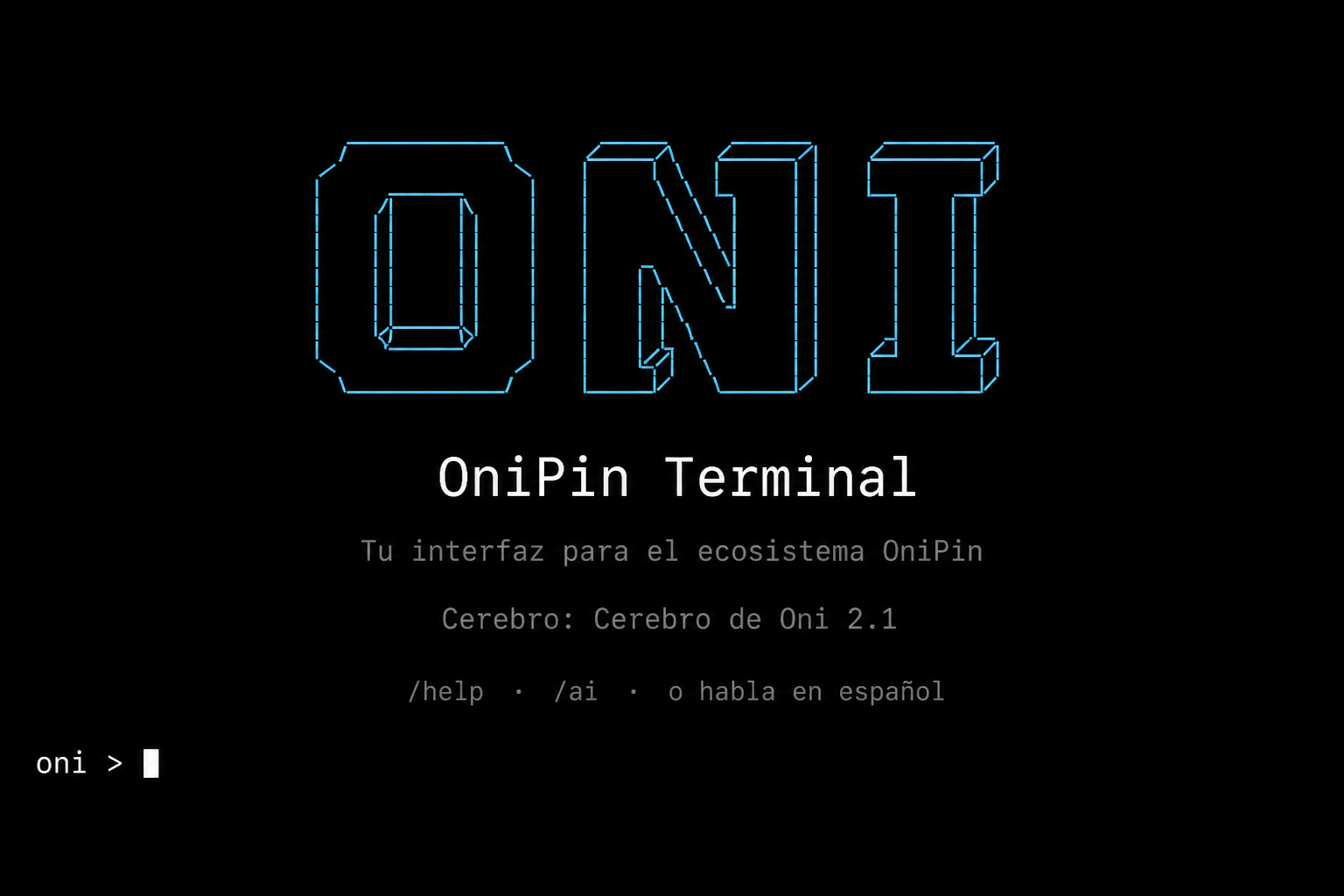
OniPin Terminal is the owner console (Claude Code style): browser login, oni > REPL, optional local brain, and the same /… commands as /app. npm package: onipin — `npm install -g onipin` or `npx onipin`.
Install
npm install -g onipin-cli
# Windows: onipin.cmd
onipin login
onipin
Owner commands (signed in)
oni > /help
oni > /catalog
oni > /product add "Gorra" 20000 --desc "Algodón" --image ./foto.png
oni > /orders
oni > /agenda
oni > /oni
oni > /mia
# o en español: "necesito subir un producto"
Visitor / agent commands (/v1)
onipin ping --pin onp_tu_pin --text
onipin catalog --pin onp_tu_pin --text
onipin chat --pin onp_tu_pin "What services do you offer?" --text
onipin book --pin onp_tu_pin --service "Demo" --client "Ana" --contact "ana@email.com" --date "mañana 10:00"
onipin order --pin onp_tu_pin --product "Plan Pro" --client "Ana" --contact "ana@email.com" --qty 1
Package: onipin-cli · For external agents (Cursor/Claude), MCP remains ideal. The Terminal is for running your business as the owner from the console.
Inside the REPL: /help · /product add · /orders · /oni · /mia
SDK (npm + React + CLI + PyPI)
npm install onipin-js
npm install onipin-react
npm install -g onipin-cli
pip install onipinimport { OniPinClient } from "onipin-js";
const oni = new OniPinClient({
baseUrl: "https://onnivers.store",
pin: "onp_tu_pin",
callerType: "ai-agent",
});
const info = await oni.ping();
await oni.handshake("appointment.create");
const chat = await oni.chat("I want a demo on Friday", { intent: "appointment.create" });
console.log(chat.reply?.text);import { OniChat } from "onipin-react";
export function Support() {
return <OniChat pin="onp_tu_pin" />;
}from onipin import OniPinClient
oni = OniPinClient(pin="onp_tu_pin", agent={"name": "MyBot", "version": "1.0"})
oni.handshake("business.chat")
print(oni.chat("I want a demo on Friday", intent="business.chat").get("reply"))onipin-js · onipin-react · onipin-cli · onipin (PyPI) · OpenAPI